Shipping Online Business

Shipping Online streamlining shipbroking operation with CRM, post-fixture management, invoice planning, compliance checks (sanctions lists), collaboration, vessel tracking and analytics for any shipbroking companies. It simplify shipbroker business with streamlining activities, workflow and automation. 

Shipping Online operates on AI agents to pursue complex goals, plan workflow and use tools behalf of the user. AI agents are operating from email to archive post-fixture correspondence where it belongs. It checks for sanctions on vessels with reports. With BI-driven-AI Analytics produce self-explanatory financial data  to simplify decisions. Using AI agents lets shipbroker focus more on business value. 

Shipping Online builds on a Trust model for governance, compliance and IT-security, providing secure sharing and collaboration based on company policies.  

Shipping Online post-fixtures solution

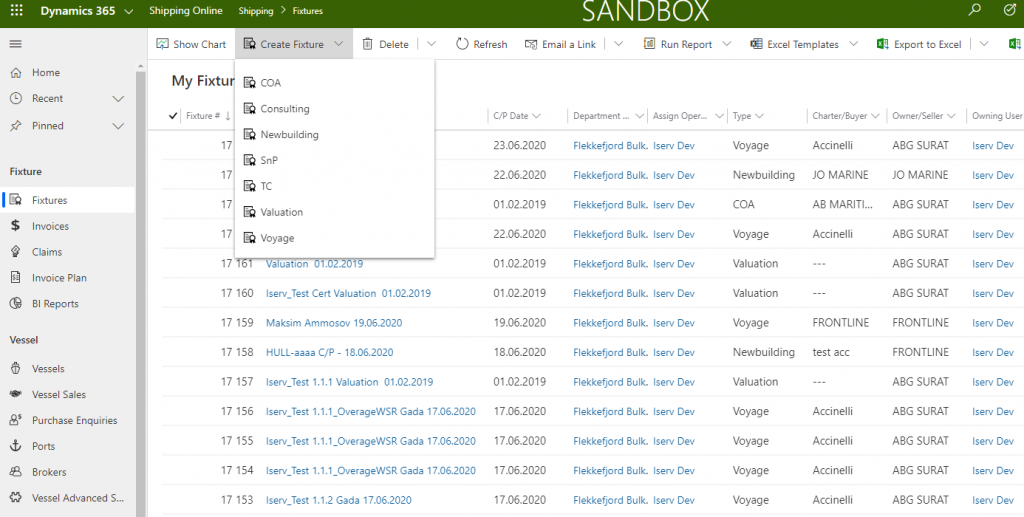
Shipping Online handles all kinds of fixture-types:

  • Contract of Affreightment (COA)
  • Voyage
  • Time Charter (TC)
  • Sales and Purchase (S&P)
  • Valuation
  • NewBuilding
  • Consulting
  • Claims


Post-fixtures Work

Shipping Online accommodates various fixture-types through workflow and automation for post-fixture operation. All fixture reports is managed via Analytics, offering comprehensive insights into production and visual reports of forward booking.  

  • Contract of Affreightment (COA)
  • Voyage
  • Time Charter (TC) and TC Trip
  • Sales and Purchase (S&P)
  • Valuation
  • NewBuilding
  • Consulting (short or long)
  • Claims

fixtures for every need

Invoice Plan and Invoicing

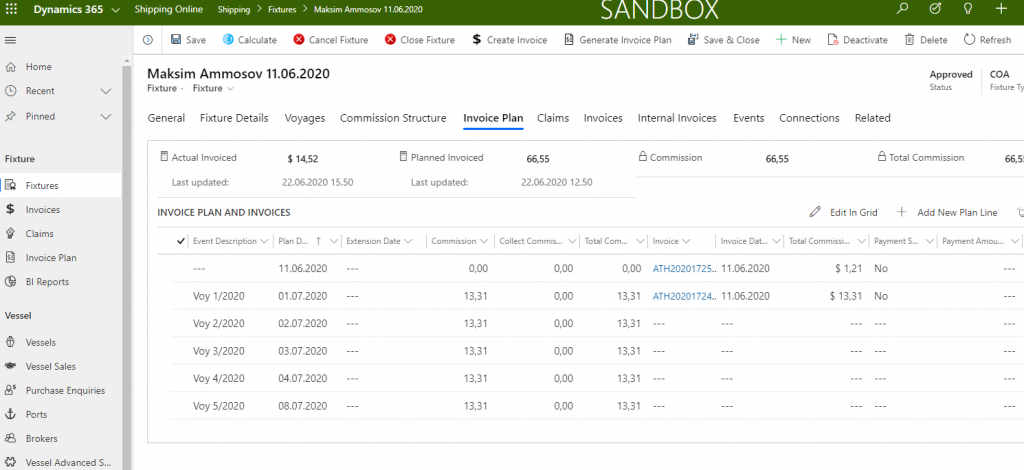
Shipping Online supports Invoice Plans with automatically setup for time period for Invoicing customer. The Invoice Plan and Invoice is adaptable and flexible when changing in fixture details and Invoice details.    

  • Invoice Plan based on fixture time period
  • Invoicing from Invoice Plan Line
  • Crediting Invoice
  • Invoicing Claims and Demurrage
  • Automatically creating Internal Invoicing based on company/department setup wit support for Invoice workflow
  •  Invoice Preview before Invoicing
  • Invocing as PDF 
  • Invoice workflow to recipients  
  • PowerBI Invoice reports

Invoice Flow

Shipping Online utilises workflow and automation to generate  Invoice plans from long term fixture contracts. Invoice are produces from these plans through an automatic process, streamlining delivery to recipients such as customer and departments. The Invoice module offers adaptability and flexibility, accommodating changes in both fixture and invoice details.     

  • Automated generation of invoice plans and invoices throug integrated workflow.
  • Supports customer invoicing via emails, PDF and electronic formats (EHF)
  • Enable workflow setup for internal and direct customer invoicing recipients.
  • Provide customisable dashboard views for fixture and invoice information accessible for all users. 
  •  Includes analytics with visual invoice reporting..   

Vessel database

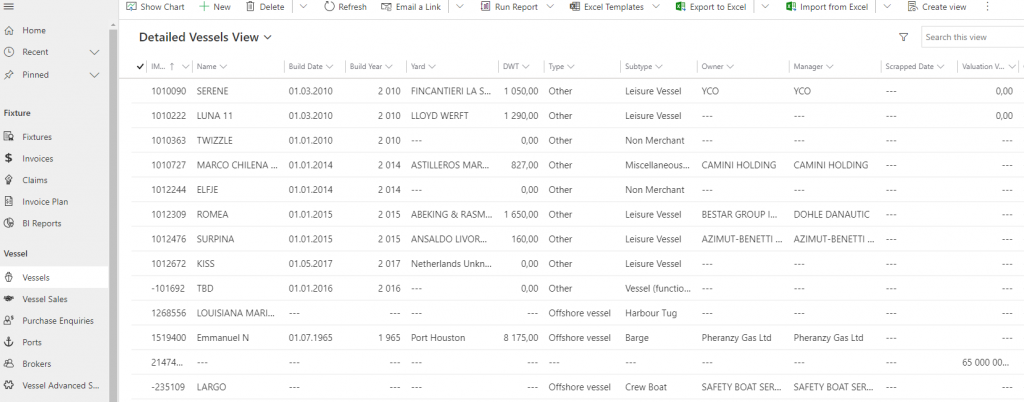
The Vessel Database is a central part of Shipping Online post-fixtures operation where vessel and position data  is stored.  Shipping Online integrated to Vessel Database by web-services retrieving updated vessel information daily.  It is also simple to integrated  Vessel Database  to Client’s preferred data supplier. The Vessel database search is based on Dynamics 365 powerful search functionality. It is possible to search on Vessels technical information as IMO, Build Year, Yard, DWT, engine, bean, pump, vessel-type, Ship owner, operator, historical data, position, etc. Shipping Online also support a port/zone database

Analytics

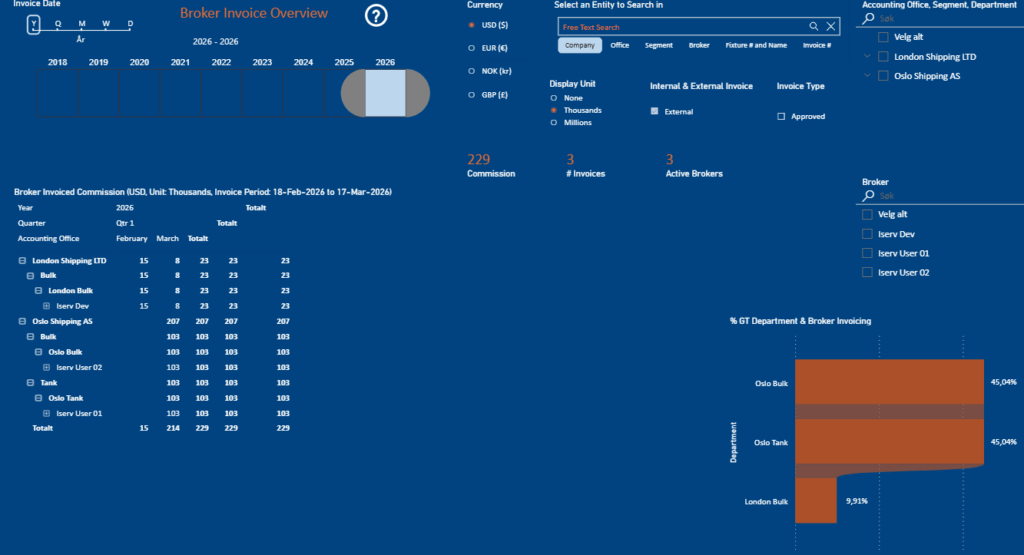
  • The Financial reports is based on PowerBI with support for filtering, visualization in tables and graphs, and possibility to sort on criteria as Brokers, Offices, Departments, Segments and period
  • Supports different financial reports as production,  forward order book, fixtures, invoice, payments, spot-trends, customers view and vessels. Visuals in all updated currency .  
  • Use time-scale bar to view the reports in different time period.  
  • BI-driven-AI reports with self-explanatory financial data simplifying decisions 

Collaboration

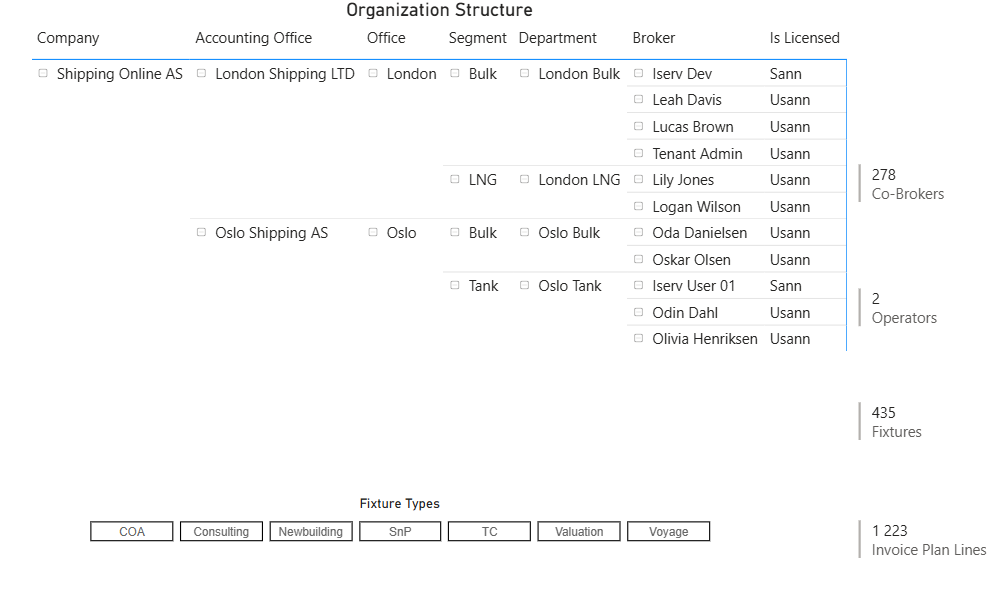
  • Business intranet with document management system. Organized into into Offices, Departments and Segments. Use Microsoft Teams as front-end to intranet to share documents in projects and meetings.
  • Collaborate and share fixtures, contracts, projects and documents with Operators, Brokers and Business partner
  • Using AI agent to save e-mails and documents to fixtures and contracts
  • Search for historical fixtures including corresponding e-mails and documents

Vessel database

The Vessel Database is a central part of Shipping Online post-fixtures operation where vessel and position data is stored.  Shipping Online is integrated towards Vessel databases by web-services retrieving updated vessel information daily.   It is easy to integrate vessel database to Client’s preferred data supplier.

The Vessel database search is based on Dynamics 365 powerful search functionality. It is possible to search on Vessels technical information as IMO, Build Year, Yard, DWT, engine, bean, pump, vessel-type, Ship owner, operator, historical data, position, etc. Shipping Online also support a port/zone database
See it for yourself,

Get in touch for a demo!